The RF companion for everyone working on radio
Hundreds of radio, hardware and security tools, ready in one command on the computer you already have. From your first FM station to a full professional assessment.
Linux · macOS · Windows · x86_64 · ARM64 · RISCV64 · Docker · Podman · Lima · Nix
Your whole assessment in one window
A desktop app for everyone who prefers clicking to typing. Create a mission for each engagement, open terminals into your labs, take notes, log findings and captures, then export a branded report.
A native desktop app, not an editor add-on. No VS Code, no IDE, no plugins, no browser extension. It ships with RF Swift and runs on Linux, macOS and Windows.
Create a mission from a container image, or pick the Nix engine and tick “Lazy tools”: nothing is installed until you run a tool, then only that tool is fetched.
- Missions
- One place per engagement, with its own labs and files.
- Recorded terminals
- Every session can be replayed later as evidence.
- Notebook & findings
- Write notes and rate findings as you work.
- Branded reports
- Turn captures and findings into a client-ready report.
A ready-made radio lab that runs next to your system, not instead of it
Radio tools are hard to install. Each one needs its own drivers, libraries and versions, and they often break each other. RF Swift ships them ready to use, in isolated environments: you pick a toolbox, plug in your radio and start working. When you're done, your computer is exactly as it was. Already on Kali, Parrot or DragonOS? Keep it: RF Swift adds to it.
- 1
Install once
One installer sets up RF Swift and the engine it needs. No manual Docker setup.
- 2
Pick a toolbox
Images are grouped by job: SDR, Wi-Fi, Bluetooth, telecom, automotive, hardware, reversing, Active Directory and more. Or stay light with a lazy Nix environment that fetches each tool the first time you use it.
- 3
Plug in and listen
Your SDR, audio and display are passed through automatically. Open SDR++, GQRX or GNU Radio and go.
Real hardware, ready to use
Plug your devices in and open the tools. The drivers and clients come built and tested in the toolbox: nothing to compile, no dependencies to chase, even on small everyday machines.
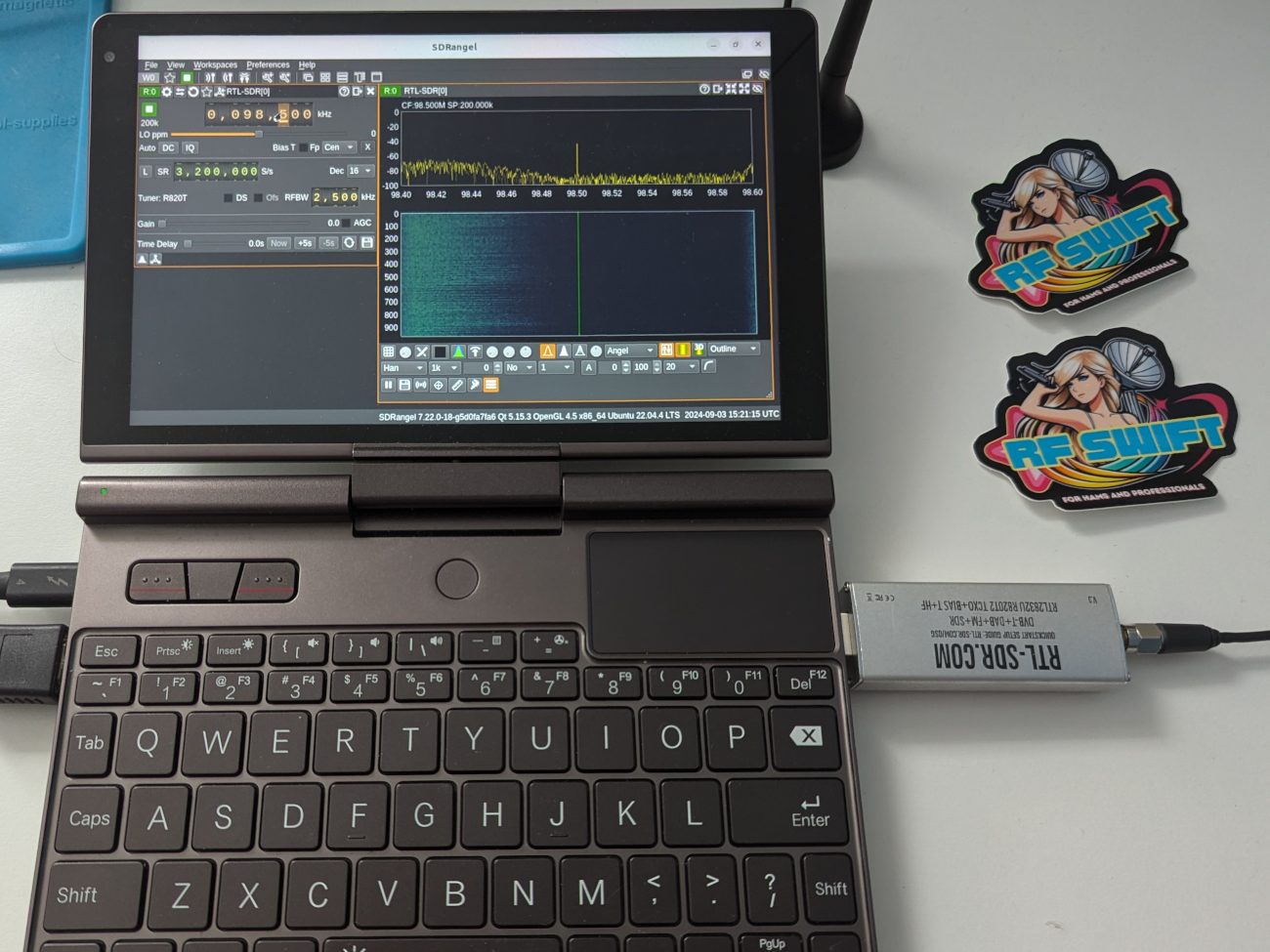
$ rfswift container create -i sdr_full -n fm
Your first signal →
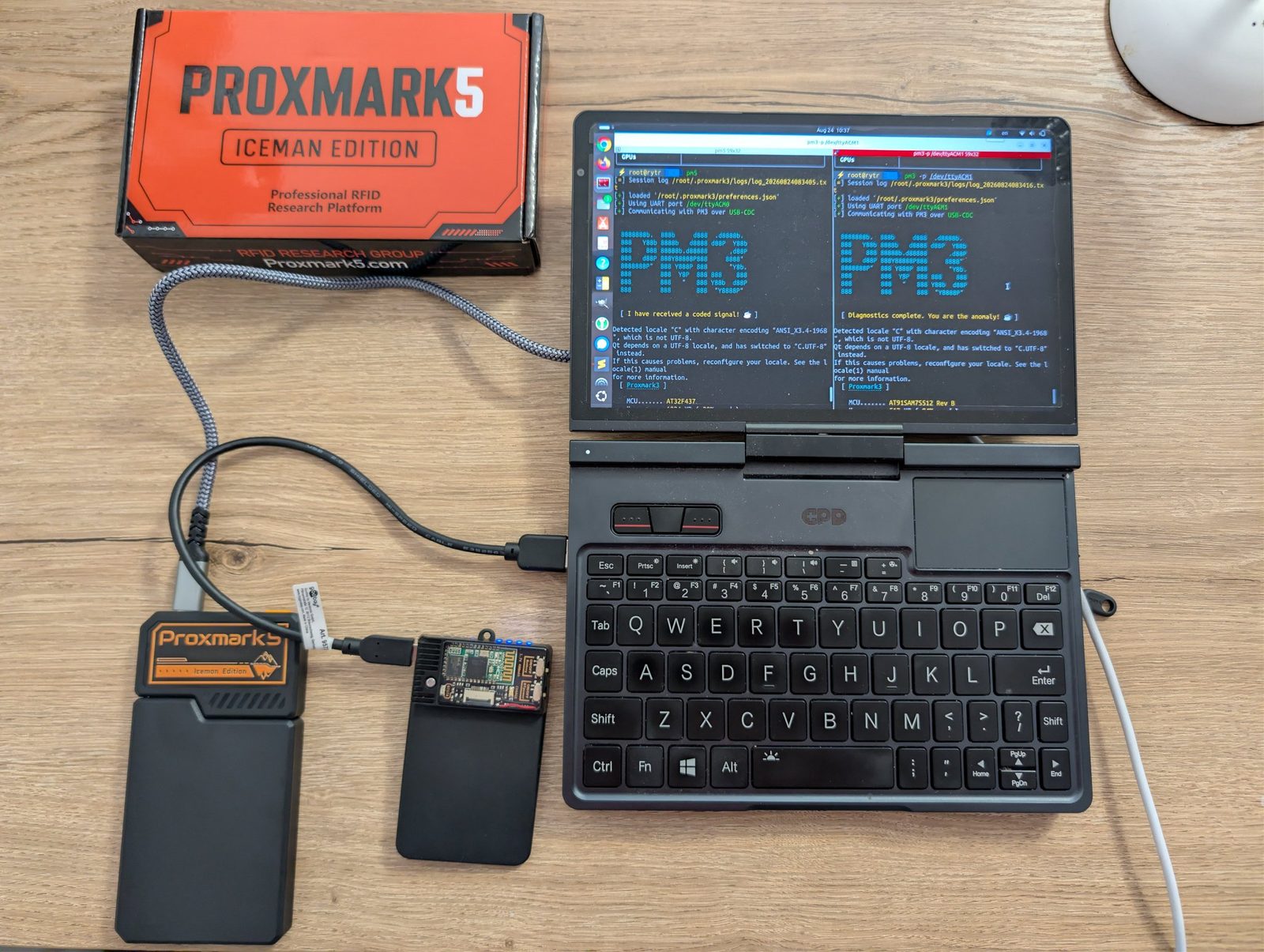
$ rfswift container create -i rfid -n badge
Plug in devices →
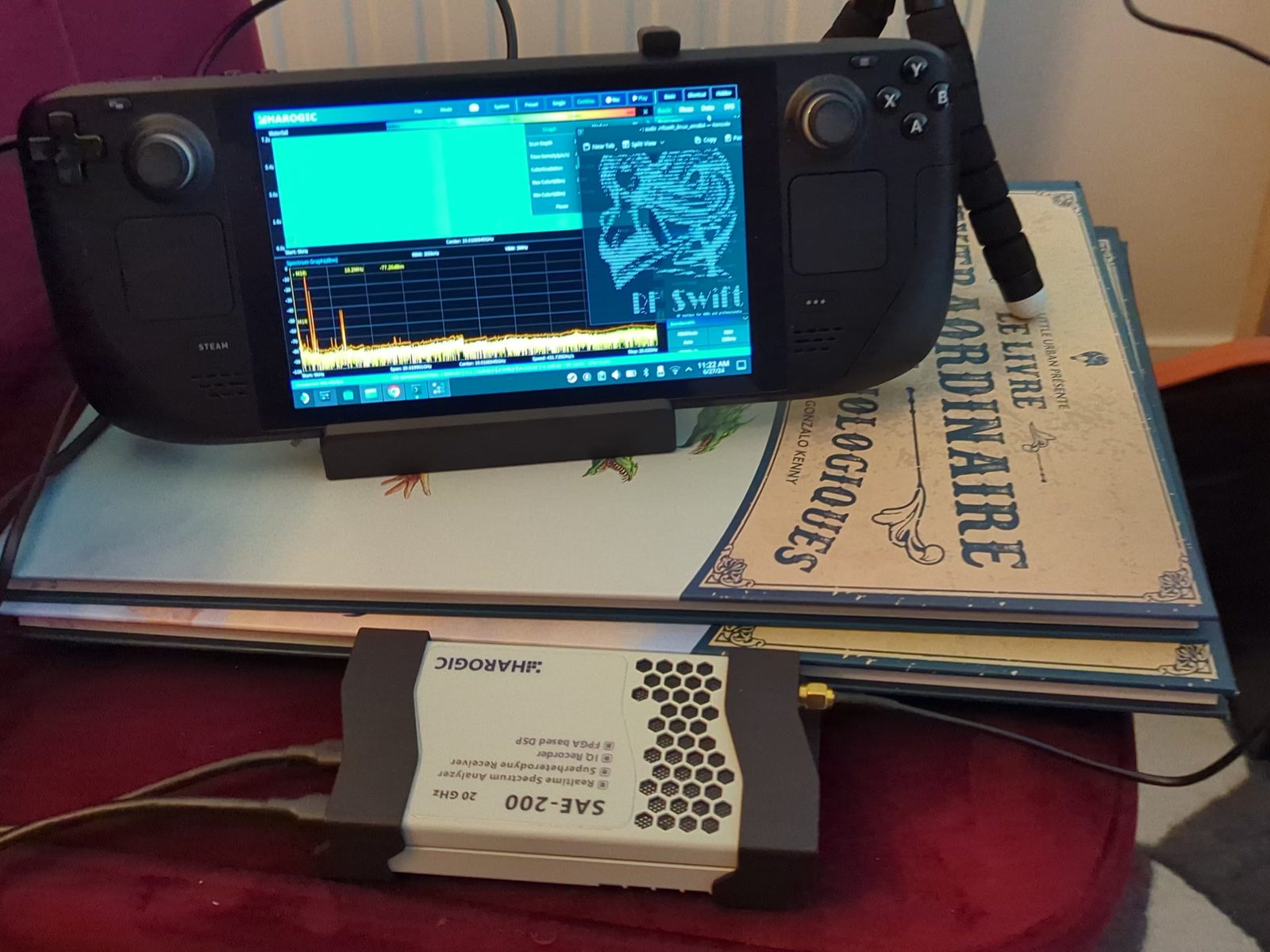
$ rfswift container create -i sdr_light -n spectrum
Harogic setup →
Full toolboxes, or only the tools you use
RF Swift drives four engines with the same commands and the same Workbench. Use a container image for a complete, tested toolbox, or Nix to install nothing you don't use. The installer sets up the one you pick.
Docker
Linux · macOS · Windows
The most common engine. Every lab is an isolated container, with the fullest USB, serial and realtime support on Linux.
Best for: The usual setup, teams, Windows
Podman
Linux · macOS · Windows
Rootless and daemonless: labs run as you, with no admin rights and nothing running in the background.
Best for: Shared, company or air-gapped machines, small boards
Lima
macOS
Containers in a small Linux VM that receives your USB radios, with hot-plug. Optional GPU VM on Apple Silicon.
Best for: Containers with USB radios on a Mac
Nix
Linux · macOS · Windows
No containers: tools installed natively and pinned. Lazy mode fetches each tool on first use. Direct USB and native sound.
Best for: Staying light, macOS, lowest latency
Stay light with lazy Nix environments
In lazy mode nothing is installed up front. Each tool becomes a small launcher that fetches the real tool the first time you run it, then keeps it pinned for good.
- Only what you run
- Type sdrpp and only SDR++ is fetched. Run inspectrum next and only that is added. Standard tools come prebuilt from the binary cache.
- Pinned, then instant
- Your environment stays on the version you created it from, so nothing changes behind your back. Once fetched, a tool starts straight away.
- In the Workbench too
- Pick the Nix engine and tick “Lazy tools (build on first use)” when you create a mission.
With Nix, the tools run natively on macOS, with no Linux VM in between. Your USB radio opens directly, sound plays natively and OpenGL needs no setup. Add --isolate to run them inside Apple’s built-in Seatbelt sandbox. Prefer containers? Lima gives them your USB radios, and Docker Desktop or Podman cover everything else.
Spend your time on the signal, not on the setup
- Ready in minutes
- Skip days of compiling and dependency hunting. Hundreds of RF and hardware security tools come already built and tested together, and one command pulls the latest ones.
- One program, no Python
- RF Swift itself is a single self-contained binary: no Python, no pip, no virtual environment to manage on your computer. The Workbench is a standalone desktop app.
- Keeps your computer clean
- No new OS, no dual boot, no reformatting. Every assessment runs in its own environment that you can throw away.
- Your hardware just works
- Your USB devices, sound and display are passed through for you. HydraSDR, HackRF, USRP, bladeRF, Proxmark3, Proxmark5 and many other devices work out of the box.
- Same lab on every machine
- Linux, macOS or Windows, on x86_64, ARM64 or RISCV64. From a workstation to a Raspberry Pi or a Steam Deck.
- Stay light
- Full images in Docker, Podman or Lima when you want the whole toolbox, or lazy Nix environments where each tool is fetched the first time you run it.
- Covers the whole target
- Radio is where it starts, not where it ends. Reversing, Active Directory, network and other assessment tools ship too, so one lab covers the entire target.
- Drive a lab from anywhere
- The remote agent is built into the same binary. Run it on a lab server or a small board next to the antenna, and control it from your laptop over mutual TLS.
- From capture to report
- The standalone Workbench keeps missions, terminal recordings, notes, findings and captures together, then exports a branded report.
Works with your distribution, not against it
Dedicated distributions and RF Swift solve different problems, and many people use both. RF Swift installs on Kali, Parrot, BlackArch or DragonOS like on any Linux and adds what they don't ship, without touching their packages. On a plain, freshly installed system, one command brings the whole tool set.
| A dedicated distribution | RF Swift | |
|---|---|---|
| Getting started | Everything is there after one install | One command on the system you already use |
| Kernel and drivers | Integrated and tested with the system | Uses your computer's kernel |
| Hardware access | Direct, by default | Passed through for you, or direct with Nix |
| Environments | One shared system | One environment per job, easy to throw away |
| Platforms | Mostly x86_64 Linux | Linux, macOS, Windows · x86_64, ARM64, RISC-V64 |
| Installing tools | The whole toolset at once | A toolbox per job, or single tools with lazy Nix |
| Reproducibility | Depends on local changes | Versioned images, pinned Nix environments |
Use the parts you need
Start with the Workbench if you prefer windows and buttons, or the command line if you live in a terminal. Both manage the same labs.
Up and running in a minute
Pick your system, paste one line. The installer sets up the CLI, the Workbench or both, plus Docker, Podman or Nix.
Every download is verified against the release SHA-256 manifest, with optional Sigstore build-provenance.
curl -fsSL "https://raw.githubusercontent.com/PentHertz/RF-Swift/refs/heads/main/get_rfswift.sh" | shThen run rfswift. The script installs the CLI, the Workbench or both, and sets up Docker, Podman or Nix for you.
# Homebrew: CLI and Workbench from the signed release
brew install --cask penthertz/rfswift/rfswift

# or the signed and notarized disk image
curl -LO https://github.com/PentHertz/RF-Swift/releases/latest/download/rfswift_Darwin_universal.dmg && open rfswift_Darwin_universal.dmg
In the disk image, drag the Workbench to Applications and run Install RF Swift CLI next to it. For USB radios on a Mac, use the Lima engine for containers or the Nix engine to run tools natively.
$setup = (Invoke-RestMethod https://api.github.com/repos/PentHertz/RF-Swift/releases/latest).assets | Where-Object name -like 'RFSwift-Setup-*-x64.exe'
Invoke-WebRequest $setup.browser_download_url -OutFile RFSwift-Setup.exe; .\RFSwift-Setup.exe
One UAC prompt installs WSL 2, USB passthrough, the container engine of your choice or Nix, and RF Swift with its Start Menu entries.
Pick your path
Beginner
I'm new to RF
No radio or container experience needed. Follow these in order.
- 1Learn the key ideasToolbox, lab, workspace: 5 minutes, no jargon
- 2Check your computer is supportedRequirements and platforms
- 3Choose your engineDocker, Podman, Lima or Nix: what each is good at
- 4Install and open your first labQuick start
- 5Listen to your first signalA hands-on tutorial with an RTL-SDR
- 6Tour the WorkbenchThe graphical way to use RF Swift
- 7Pick the right toolboxWhich image for which job
Advanced
I know what I'm doing
Reference material, engines, hardening and building your own images.
Common questions
More answers in the FAQ & troubleshooting page. Still stuck? Ask on Discord.
Do I need to know Docker or Linux?
Should I use the CLI or the Workbench?
Does the Workbench need VS Code or another editor?
Do I have to download a whole toolbox image?
--lazy on the command line or tick Lazy tools in the Workbench. To try a single tool without creating anything: rfswift env run sdr_light sdrpp.